



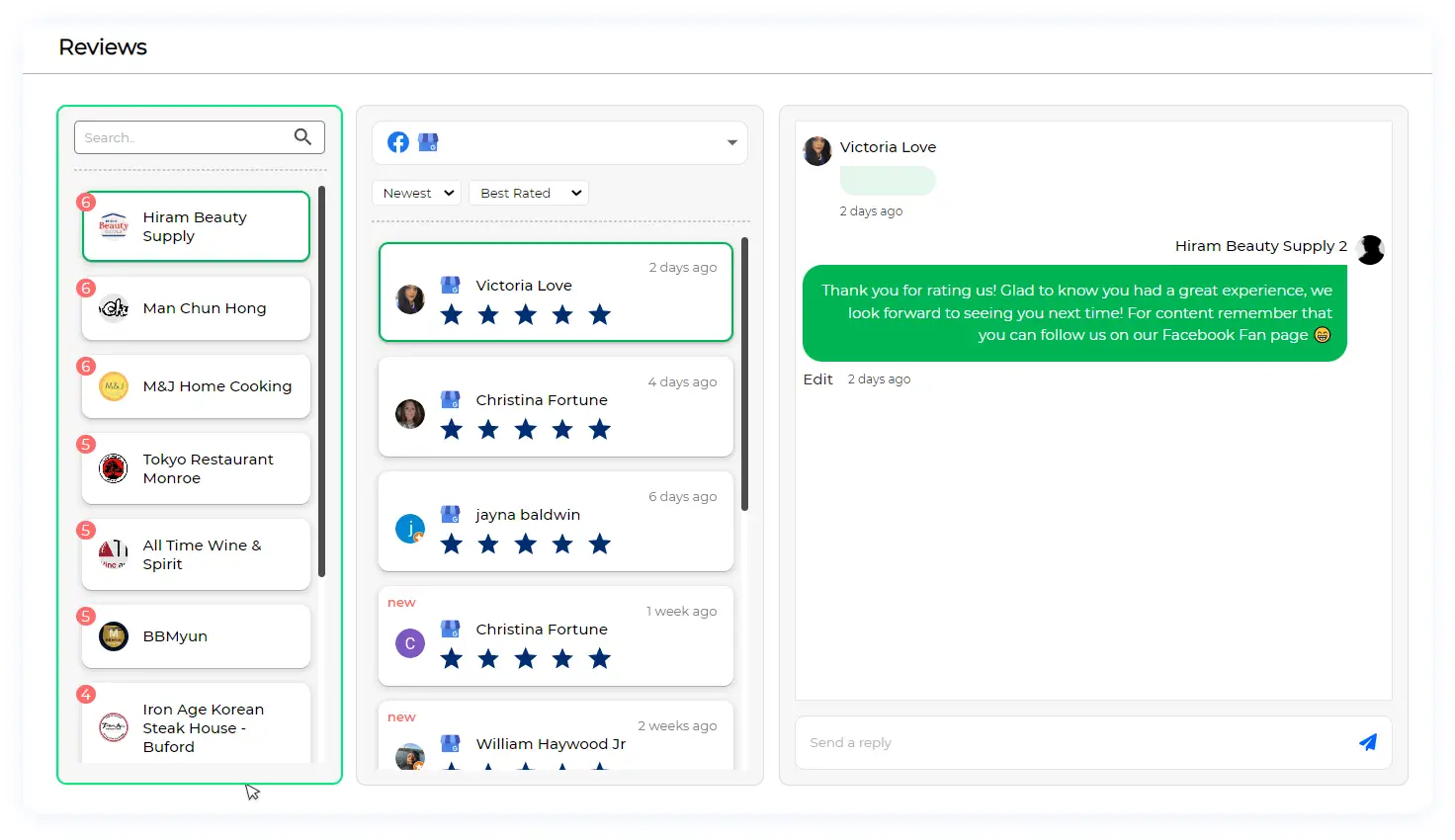
 Comment management and centralization: Unlock the potential of engagement, feedback, and communication through comments across platforms like Facebook, Instagram, and LinkedIn. Seamlessly oversee comment threads, enhance efficiency, and simplify your business page monitoring. Dive into our Comments Management Guide to discover how LikeIt empowers you to efficiently navigate comment responses, centralizing your efforts and streamlining your social media presence. Explore the three integral parts of the Comments section and get ready to amplify your comment management prowess with LikeIt’s powerful tools.
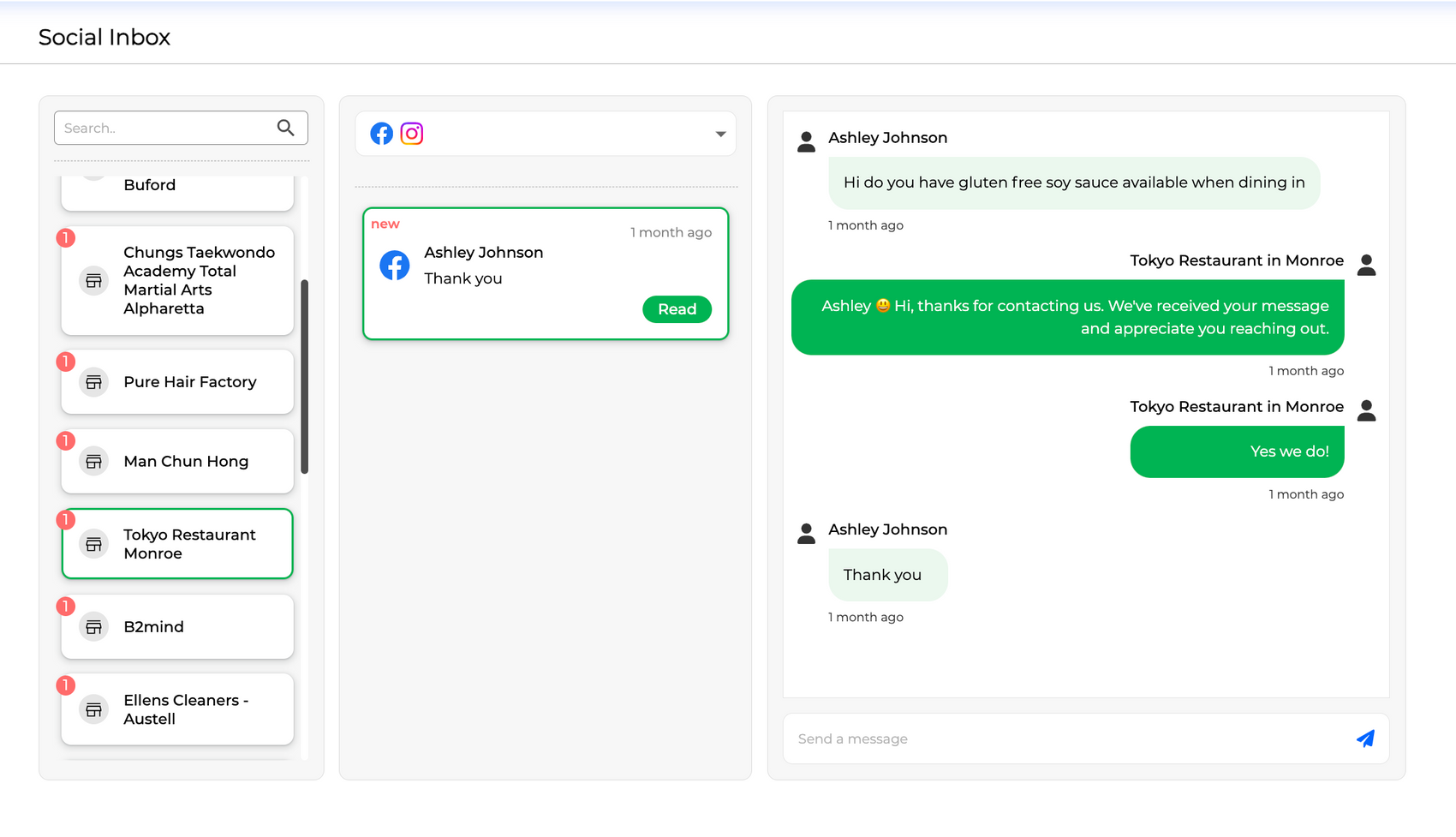
 Social Inbox Centralization:Step into the realm of streamlined communication with LikeIt’s Social Inbox!
Welcome to the Social Inbox Management Guide, where you’ll uncover the power of consolidating Facebook, Instagram, and Google My Business inboxes into a single, organized hub. Just as with our other features, Social Inbox aims to optimize your workflow by centralizing communication. This empowers you to manage messages and responses seamlessly, saving valuable time and enhancing your ability to engage effectively across platforms.
In this guide, we’ll delve into the efficient management of your inbox. Experience the convenience of handling messages from Facebook, Instagram, and Google My Business all in one place. Discover how Social Inbox empowers you to respond promptly and accurately, providing a unified view that helps you stay on top of your communication game. Dive into the unified world of Social Inbox to take your inbox management to the next level with LikeIt!
Social Inbox Centralization:Step into the realm of streamlined communication with LikeIt’s Social Inbox!
Welcome to the Social Inbox Management Guide, where you’ll uncover the power of consolidating Facebook, Instagram, and Google My Business inboxes into a single, organized hub. Just as with our other features, Social Inbox aims to optimize your workflow by centralizing communication. This empowers you to manage messages and responses seamlessly, saving valuable time and enhancing your ability to engage effectively across platforms.
In this guide, we’ll delve into the efficient management of your inbox. Experience the convenience of handling messages from Facebook, Instagram, and Google My Business all in one place. Discover how Social Inbox empowers you to respond promptly and accurately, providing a unified view that helps you stay on top of your communication game. Dive into the unified world of Social Inbox to take your inbox management to the next level with LikeIt!


About Cookies
This website uses Cookies on this website are used to personalize content and ads, provide social media features and analyze traffic. In addition, we share information about your use of the website with our social media, advertising and web analytics partners, who may combine it with other information you have provided to them or that they have collected from your use of their services.
Read Cookie PolicyNecessary cookies help make a website usable by enabling basic functions like page navigation and access to secure areas of the website. The website cannot function properly without these cookies.
Preference cookies enable a website to remember information that changes the way the website behaves or looks, like your preferred language or the region that you are in.
Statistic cookies help website owners to understand how visitors interact with websites by collecting and reporting information anonymously.
Marketing cookies are used to track visitors across websites. The intention is to display ads that are relevant and engaging for the individual user and thereby more valuable for publishers and third-party advertisers.
Unclassified cookies are cookies that we are in the process of classifying, together with the providers of individual cookies.