

How to modify and edit business and their information?

✅ Businesses serve as operational entities within our platform. The Business Section on LikeIT empowers you to meticulously manage and oversee essential information pertinent to your agency’s partnered businesses. This section serves as the nexus where you’ll seamlessly link social media accounts, facilitating proficient posting, review management, and more.

Striving for Data Excellence: Why Business Information Matters

Ensuring the accuracy of your business information is paramount to streamline operations and uphold your agency’s professional standards. It is both your responsibility and a collective effort within your team to maintain the accuracy and currency of data, encompassing social networks, addresses, and more. This meticulous approach guarantees the precision of the information shared and proactively averts potential disruptions.


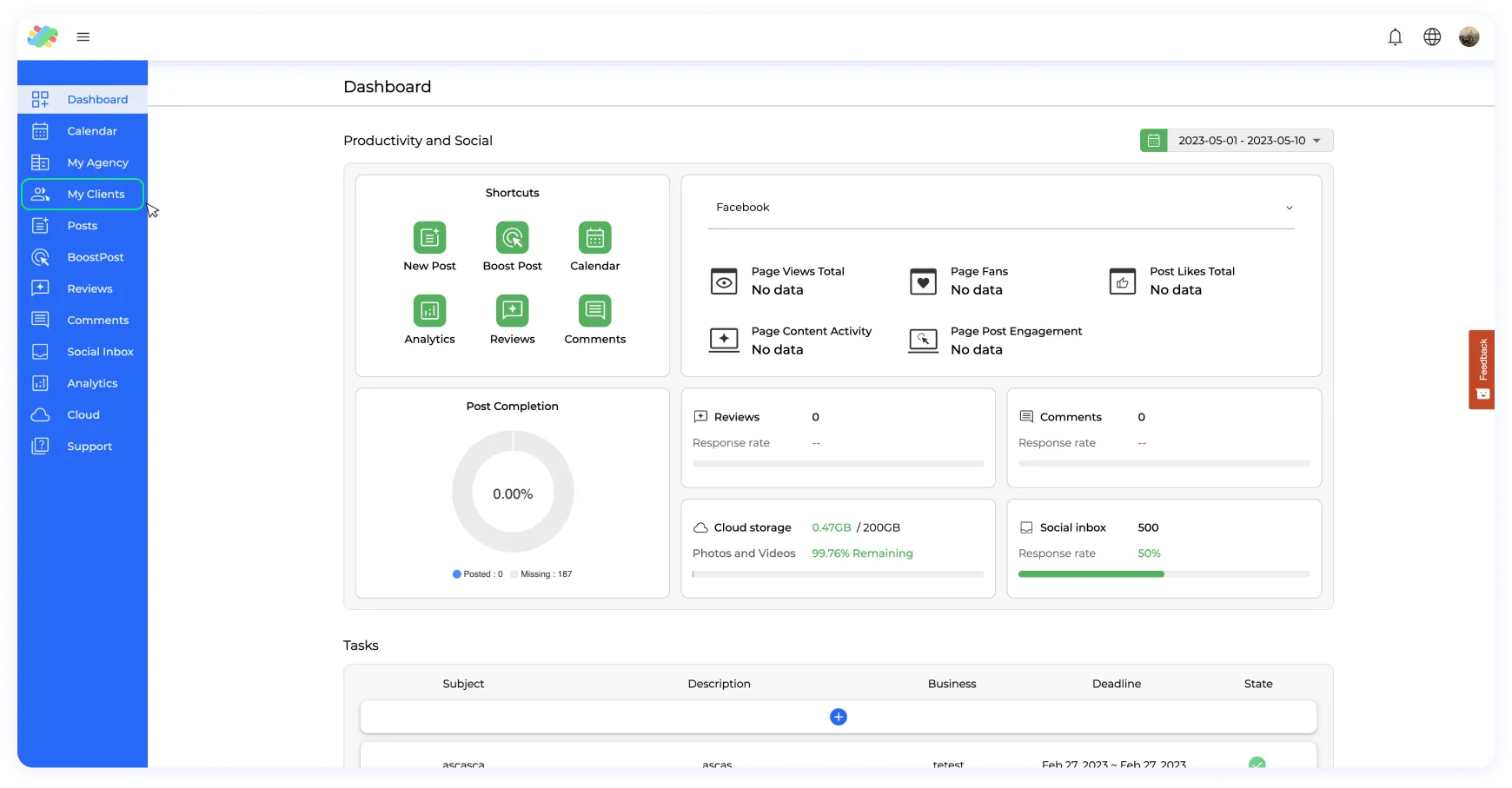
Step 1. Log in to your account and navigate to the menu on the left-hand side.

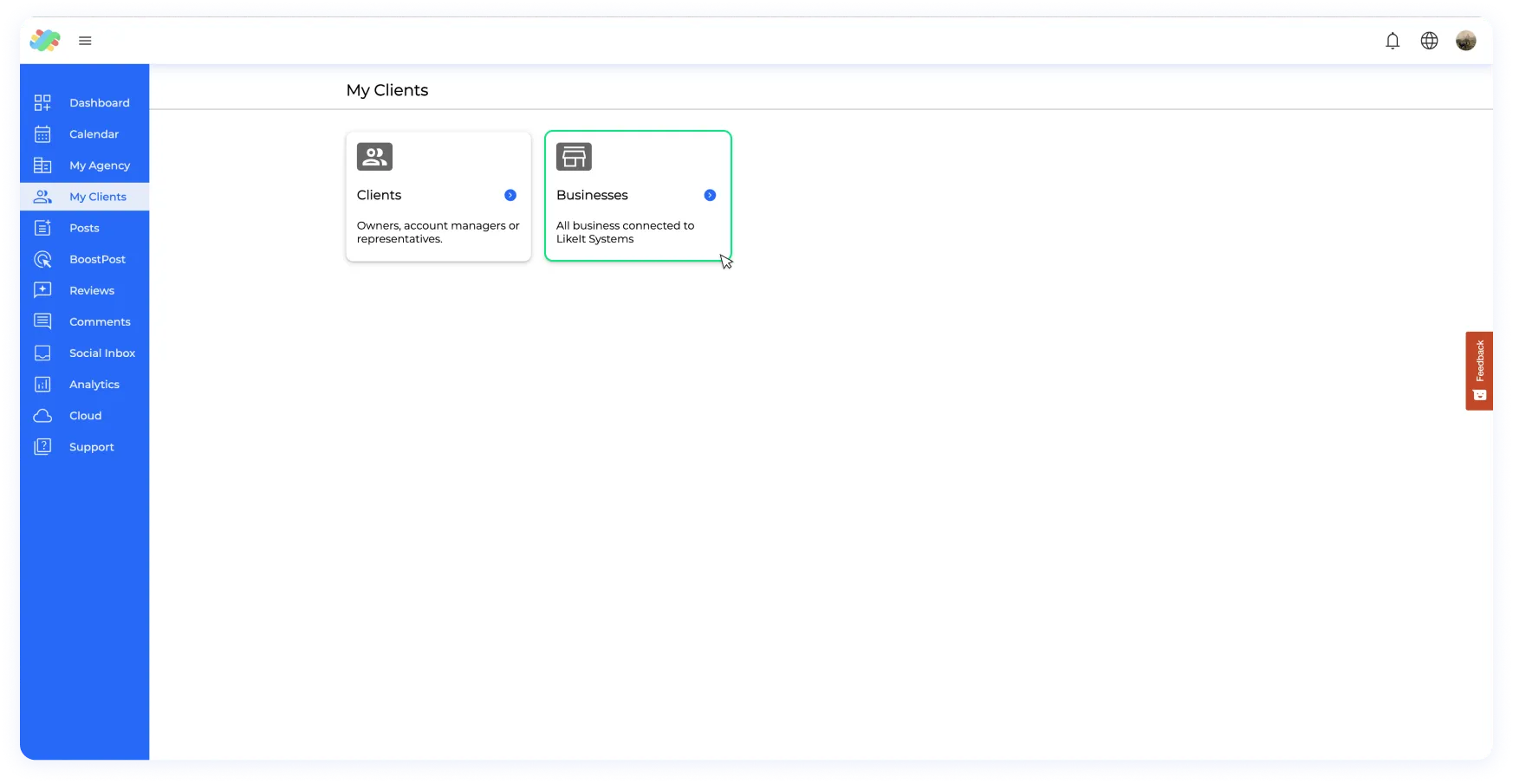
Step 2. Select “My Clients” from the menu.

Step 3. Access the business folder, and within here you will see a list of all your businesses.

Step 4. Select the business that you want to modify.

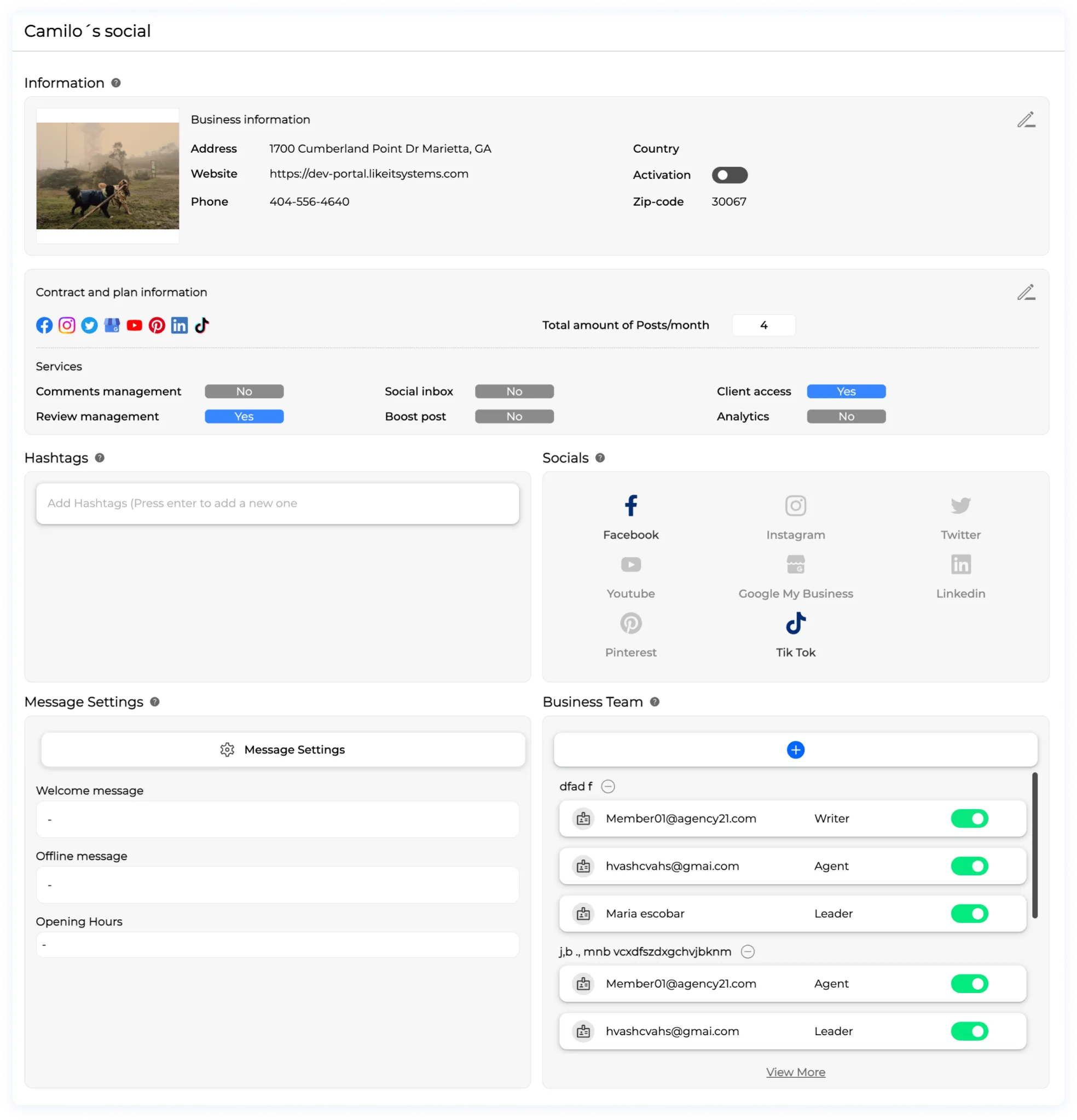
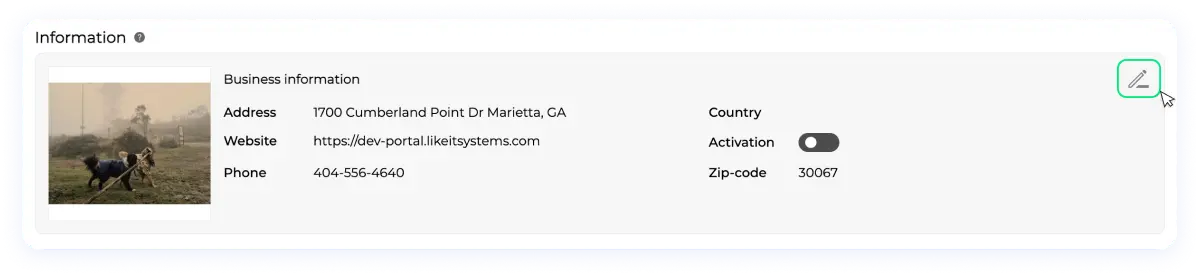
Step 5. Within the business profile, precisely tailor four vital elements: general information, hashtags, business teams, and social networks.

For the general information:

    • Click on the icon on the top right side of the widget.
    • Here you will be able to modify the client linked to the business, for more information on how to change a client from a business profile, please follow the guide on   How To Change The Client Associated To A Business?
  • You can change the name of the business, the website, the address, zip code, business phone, country, state, city, logo, description and the plan and contract information.
  • Once you are done modifying, click on “Save” and exit.

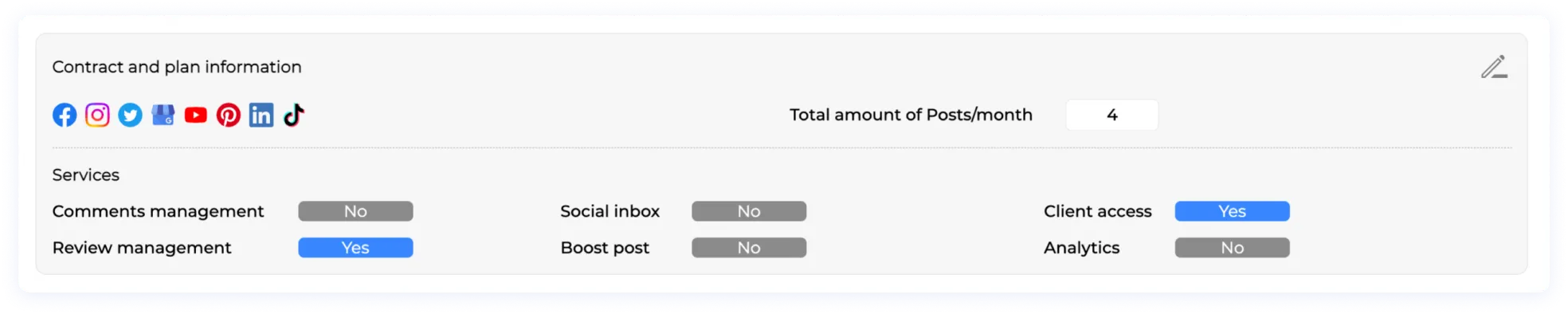
Contract and plan information:

    • Modify plan and features: In this section, you can make changes to the social media platforms, number of posts, and features such as comments and reviews that the business manages.
    • Change plan name and process: You can also modify the plan name and view any changes made to the plan in the historic section at the bottom.
    • Save changes: Once you are satisfied with the modifications, simply click on the “Save” button to save the changes.

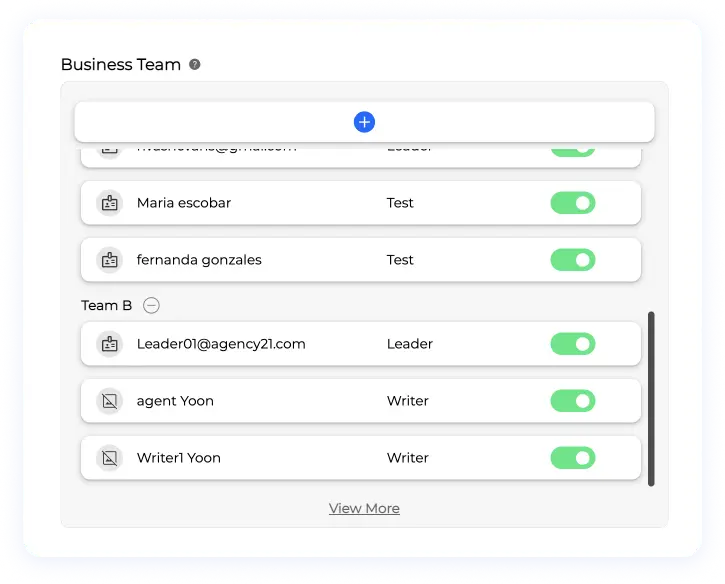
For the team section:

    • You can add or remove teams from the business profile here. These teams are made up of employees who have access to this particular business. If you remove a team and add a new one, the previous team will no longer have access to this business.
  • A business can have multiple teams connected to it for various purposes. This means you can create different teams for different tasks. To come up with creative ideas for teams such as posting, reviews, etc., check out our guide on
    Role Management And It’s Importance

For the hashtags section:

    • In this section, you can add custom hashtags to the business. These hashtags will be accessible when you are creating posts, and you will be able to add them with just one click.
  • These hashtags should be the general ones that you always use when doing posts. These hashtags will help you to increase the visibility of your posts on social media platforms by making them discoverable by users who are searching for topics related to the hashtags you use. This guide will help you to understand the utility of hashtags for each business, and how you can use them to increase your reach and engagement on social media.

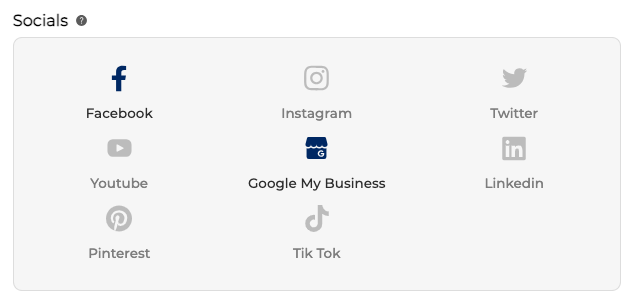
For the social networks section:

  • Seamlessly Managed Connections: Oversee the stability of your business’s social network connections.
  • In-Depth Insights: For a comprehensive understanding, explore the “Integrations” section.
  • Effortless Adjustments: Modify connections post-business creation, ensuring seamless integration.
  • Connection Clarity: Visual cues indicate stability (blue) or inactivity (grey).

This meticulously detailed tutorial empowers you to efficiently manage business attributes, fostering operational excellence within your agency. We extend our appreciation for selecting LikeIt as your trusted platform, dedicated to supporting your success.

Related Content